










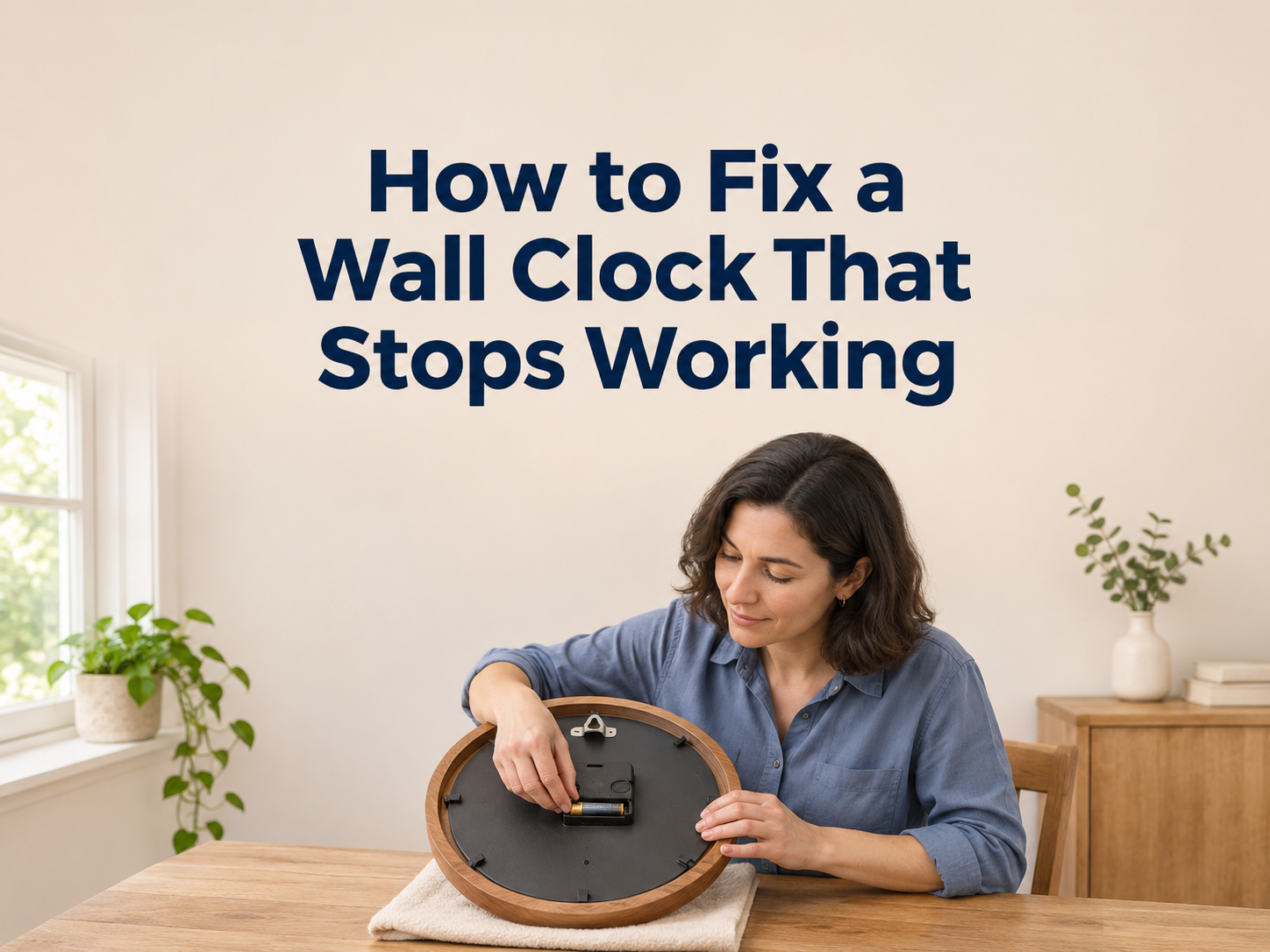
There is something oddly unsettling about glancing at a wall clock and realizing the hands have not moved in hours. Maybe it froze overnight, maybe the second hand is twitching in place, or maybe it simply went silent. Before you throw it out or start shopping for a replacement, take a breath — most wall clocks that stop working can be fixed at home in under 15 minutes, often for little more than the cost of a battery.
This guide walks you through exactly how to fix a wall clock that stops working, starting with the quickest, most likely solutions and moving step by step toward the less common ones. It covers battery-powered quartz clocks, radio-controlled (atomic) clocks, and traditional mechanical and pendulum clocks.
🔧 Quick Fix Summary
- Replace the battery with a brand-new 1.5 V alkaline battery.
- Clean the battery contacts if you see any corrosion, and make sure the springs press firmly.
- Check the hands — make sure they are not touching each other, the dial, or the glass, and that the hand nut is snug.
- Replace the quartz movement if the clock still will not run. It is an inexpensive part and an easy swap.
Why Do Wall Clocks Stop Working?
A typical battery-powered wall clock is a simple machine. A small plastic box on the back — the quartz movement — holds a battery, a tiny electronic circuit, a quartz crystal, a miniature stepper motor, and a set of plastic gears. Once per second the circuit sends a pulse to the motor, which nudges the gears and moves the hands forward.
Because the motor is so small, it has very little power to spare. That means anything that interrupts the electricity or adds resistance to the hands can stop the clock completely. In practice, nearly every stopped clock comes down to one of six causes.
Tools and Supplies You Will Need
The good news is that you probably already have everything required. For most repairs, you will only need a few household items:
- A fresh AA alkaline battery (check the clock’s compartment — a few use AAA or C cells)
- Cotton swabs for cleaning contacts
- White vinegar or lemon juice to dissolve battery leakage
- A pencil eraser or fine sandpaper for polishing dull contacts
- Small needle-nose pliers for tightening hand nuts and adjusting springs
- A small screwdriver to open the back panel or remove the glass bezel, if needed
- A soft cloth to protect the clock face while you work
Step 1: Replace the Battery (The Most Common Fix)
Start here, even if you changed the battery recently. Batteries from a drawer or a cheap multipack may already be partly drained, and even a battery that powers a TV remote may not have enough voltage left for a clock motor.
- Take the clock off the wall and lay it face down on a soft towel.
- Remove the old battery and note the correct orientation (+ and –) marked inside the compartment.
- Insert a brand-new, name-brand 1.5 V alkaline battery. Check the expiry date on the package.
- Watch the second hand for a few seconds. If it starts moving smoothly, set the time and you are done.
⚠ Avoid Rechargeable Batteries
Rechargeable NiMH batteries supply about 1.2 volts instead of 1.5 volts. That lower voltage is often not enough to drive a clock motor reliably, especially in larger clocks. If your clock stopped right after you switched to rechargeables, that is almost certainly why.
Step 2: Clean the Battery Contacts
If a fresh battery did not help, look closely at the metal contacts in the battery compartment. Batteries that sit in a clock for years can leak a chemical that leaves white, blue, or green crust on the terminals. That residue blocks the flow of electricity, so the clock gets no power even with a new battery.
How to Clean Corroded Contacts
- Remove the battery. Wear disposable gloves if there is heavy leakage.
- Dip a cotton swab in a little white vinegar or lemon juice and gently scrub the contacts. The mild acid neutralizes the alkaline residue.
- Use a dry swab to remove any loosened debris, then let everything dry completely.
- If the metal still looks dull, rub it lightly with a pencil eraser or a strip of fine sandpaper until it shines.
- Check the spring contact. If it has flattened out, gently pull it outward with pliers so it presses firmly against the battery.
- Insert a fresh battery and test the clock.
Important: never drip liquid directly into the movement. Use a barely damp swab so moisture does not reach the circuit board.
Step 3: Check the Hands
If you can hear the clock ticking or see the second hand moving, but the minute and hour hands are frozen, the problem is almost certainly the hands themselves — not the battery or the movement.
Hands Touching Each Other or the Glass
Hands that rub against each other, the dial, or the glass cover create friction that the tiny motor cannot overcome. A telltale sign is a clock that always stops at the same spot — for example, every time the minute hand passes over the hour hand.
- Remove the glass or acrylic cover if it is detachable.
- Look at the hands from the side. Each hand should sit parallel to the dial with a small gap between all layers.
- If two hands touch, gently bend the offending hand slightly toward or away from the dial with your fingers, close to the center.
- Rotate the time-setting knob on the back through a full 12 hours and make sure no hand catches anywhere.
Loose Minute Hand Nut
On most quartz clocks, the minute hand is held in place by a small cap nut (or a push-on cap) at the center. If that nut works loose, the gears keep turning but the hand slips instead of moving with them. Hold the minute hand gently and tighten the nut clockwise with your fingertips or small pliers until it is snug — do not overtighten, as that can crush the shaft.
Hands Too Heavy for the Movement
If your clock has a large dial or long, heavy metal hands, a standard movement may simply lack the strength to lift the minute hand from the 6 back up to the 12. If the clock tends to stop somewhere between the 6 and the 9, consider replacing the movement with a high-torque version designed for larger hands.
Step 4: Clean Dust, Grease, and Moisture
Clocks in kitchens, bathrooms, garages, and workshops collect grime that can creep into the movement and make the gears stick. Moisture can also corrode the circuit or the motor coil.
- Wipe the dial and hands gently with a dry, soft cloth.
- Blow out dust around the center shaft and movement with a few short bursts of compressed air.
- If the clock was exposed to damp conditions, remove the battery and let it dry in a warm, ventilated room for 24 to 48 hours before testing again.
- Never spray cleaning products, oil, or lubricants into a quartz movement — they are sealed units and oil can attract more dirt.
Step 5: Replace the Quartz Movement
If you have tried a new battery, cleaned the contacts, and checked the hands, and the clock still does not tick, the movement has most likely failed. Movements are inexpensive and widely available, and installing a new one is one of the easiest repairs you can do.
Choosing the Right Replacement Movement
Before buying, you need to know a few details about your clock. Getting these right is the difference between a 10-minute fix and a frustrating return.
- Shaft length: Measure the thickness of the dial at the center hole, including any face cover. Choose a movement whose threaded shaft is a little longer than that so the hex nut can grip securely.
- Hand compatibility: Hand fittings vary between movement types. Either choose a movement that matches your existing hands or buy one that comes with a new set.
- Torque: Use a standard movement for typical clocks and a high-torque movement for large dials or heavy hands.
- Tick or sweep: A ticking (step) movement is classic and uses less battery power; a silent sweep movement glides smoothly and is ideal for bedrooms and offices.
- Features: Some movements offer a hanger hook, a pendulum drive, or chime functions. Match these to what your clock already has.
How to Install a New Movement
- Remove the hands. Pull off the second hand first, unscrew the minute hand cap nut, lift off the minute hand, then gently pull off the hour hand.
- Remove the old movement. Unscrew the hex nut on the front of the dial and lift the movement away from the back. Keep the washers if the new movement does not include them.
- Fit the new movement. Place the rubber washer on the shaft, push the shaft through the dial from behind, then add the brass washer and tighten the hex nut on the front. Make sure the hanger hook points to the 12.
- Set the hour hand. Turn the setting knob until the gears click into the 12 o’clock position, then press the hour hand on pointing exactly at 12.
- Set the minute hand. Place the minute hand on pointing at 12 as well, then secure it with the cap nut.
- Add the second hand. Push it gently onto the center pin, also pointing at 12.
- Check clearance, insert the battery, and set the time. Turn the knob through a full 12 hours to confirm nothing touches, then hang the clock.
💡 Pro Tip
Before you take anything apart, snap a quick photo of the front and back of the clock. It makes reassembly much easier, especially for decorative clocks with unusual hands or spacers.
How to Fix a Radio-Controlled (Atomic) Wall Clock That Stopped
Radio-controlled clocks have the same basic quartz movement as regular clocks, plus a receiver that syncs with a time signal. If one stops or behaves strangely:
- Replace the battery with a fresh alkaline cell.
- Press the reset button (usually a small pinhole near the battery compartment) to make the hands return to 12 and restart the sync process.
- Place the clock near a window, away from computers, TVs, routers, and metal surfaces.
- Leave it overnight. Signal reception is usually strongest at night, so the clock may take several hours to set itself.
- Check that the clock’s region or time zone setting matches where you live.
If the hands do not move at all, even after a reset and a fresh battery, the clock likely has the same internal failure as a standard quartz clock and needs a replacement movement designed for radio-controlled use.
How to Fix a Mechanical or Pendulum Wall Clock That Stopped
Wind-up regulator clocks, schoolhouse clocks, and cuckoo clocks run on springs or weights rather than batteries, so the troubleshooting is different. Most stops are caused by one of these issues:
1. It Needs Winding
It sounds obvious, but it is the most common cause. Spring-driven clocks typically run for eight days on a full wind; cuckoo clocks with weights often need the weights pulled up daily. Wind the clock fully and restart the pendulum with a gentle push.
2. It Is Out of Beat
A healthy pendulum clock has an even “tick…tock…tick…tock” rhythm. If the sound is uneven, like a limp, the clock is out of beat and will often stop after a few minutes or hours.
- First, make sure the clock hangs level and firmly against the wall.
- If the beat is still uneven, nudge the bottom of the clock case slightly left or right until the ticks sound evenly spaced, then secure it in that position.
- Many modern clocks have a self-adjusting beat: swing the pendulum wider than normal once and let it settle.
3. The Pendulum Is Hung Incorrectly
If the clock was recently moved, the pendulum may have slipped off its hanger or the thin suspension spring may be bent. Check that the pendulum hangs freely, does not touch the case, and passes through the crutch (the wire loop that drives it).
4. The Movement Is Dirty or Dry
Over years, clock oil dries into a sticky film that drains power from the movement. If your mechanical clock runs only briefly after winding and then stops, it most likely needs professional cleaning and oiling. This is generally recommended every few years and is best left to a clockmaker, since the wrong oil or technique can cause damage.
⚠ Do Not Force the Hands on Chiming Clocks
On chiming mechanical clocks, move only the minute hand, always clockwise, and pause at each quarter hour to let the chime finish. Forcing the hour hand or turning the hands backward can damage the chime mechanism.
Quick Diagnostic Flowchart
Not sure where to start? Follow this flowchart from the top. It will lead you to the most likely fix in just a few minutes.
Symptom Checker
When Is It Time to Replace the Clock?
Most clocks are well worth repairing, especially if they have sentimental or decorative value. A new quartz movement can give an old favorite many more years of life. That said, replacing the entire clock can make sense if:
- The dial, frame, or hands are cracked, warped, or water-damaged.
- The clock uses an unusual built-in movement that cannot be swapped out.
- A replacement movement would cost more than a comparable new clock.
- You want features your current clock does not offer, such as automatic time setting or silent operation.
What to Look for in a Reliable New Wall Clock
- Radio-controlled (atomic) timekeeping that sets itself and adjusts for daylight saving time where applicable.
- A silent sweep movement for bedrooms, nurseries, and offices.
- A high-torque movement on clocks with dials larger than about 12 inches.
- A glass or acrylic cover to protect the hands from dust and accidental bumps.
- An easy-access battery compartment that does not require removing the clock from a bracket.
- Moisture-resistant construction if the clock is going in a kitchen or bathroom.
How to Prevent Your Wall Clock From Stopping Again
- Replace the battery once a year as routine maintenance rather than waiting for the clock to stop.
- Always use fresh, name-brand alkaline batteries.
- Remove the battery if the clock will be stored or unused for a long time.
- Write the battery change date on a small label inside the compartment.
- Hang clocks away from heat sources, steam, and direct sunlight.
- Set the time using the knob on the back instead of pushing the hands by hand.
- Dust the clock regularly, especially in kitchens.
- Keep mechanical clocks wound on a regular schedule and have them serviced every few years.
Frequently Asked Questions
Why did my wall clock stop even though the battery is new?
The most common reasons are corroded or loose battery contacts, a battery that was already partly drained, or a rechargeable battery with too little voltage. If the power side is fine, check whether the hands are touching or the minute hand nut is loose. If nothing else works, the movement has probably failed.
Why is my clock’s second hand moving but the other hands are not?
This almost always means the minute hand cap nut is loose, so the hands slip on the shaft instead of turning with the gears. Tighten the nut gently and make sure the hands are pressed firmly into place.
Why does my clock stop at the same time every day?
A clock that stops at the same position usually has hands that catch on each other, the dial, or the glass at that point. It can also mean the minute hand is too heavy to climb past a certain spot. Check the clearance and consider a high-torque movement.
How long should a wall clock battery last?
A single AA alkaline battery typically powers a standard ticking quartz clock for about a year. Silent sweep and radio-controlled clocks often use power faster and may need a new battery sooner.
Can I fix a wall clock movement, or do I have to replace it?
Quartz movements are sealed, low-cost units that are generally not designed to be opened or repaired. Replacing the whole movement is quicker, cheaper, and more reliable than trying to fix one.
Is it safe to clean battery corrosion with vinegar?
Yes. Most household clock batteries are alkaline, and a small amount of white vinegar or lemon juice on a cotton swab neutralizes the residue. Use only a little, keep it away from the circuit board, and let everything dry before inserting a new battery.
Why does my pendulum clock stop after a few minutes?
The clock is most likely out of beat or not hanging level. Listen for an even tick-tock rhythm, level the case, and adjust its position until the beat is steady. If it still stops, the movement may need cleaning.
Final Thoughts
A wall clock that stops working is rarely a lost cause. In most cases, a fresh alkaline battery brings it back to life instantly. If it does not, cleaning the contacts, adjusting the hands, or installing an inexpensive new movement will solve almost every remaining problem — no special skills or tools required.
Work through the steps in order, starting with the simplest, and you will likely have your clock ticking again before your coffee gets cold. And if it is finally time for a new one, choosing a clock with a quality movement and the right features for your space will keep you on time for years to come.